Using the mods
Each mod has its own window, opened with an F-key at the main menu or during a game. Every setting starts at a sensible default, so nothing has to change before you play. This page covers what each window is for.
Keys and windows
- F6Ungodly Reignfall MapGenv1.0.0
- F7Ungodly Smart Wave Spawnerv1.1.0
- F8Ungodly Living Economyv1.1.1
- F9Ungodly Reignfall AIv1.0.4
Every window pauses the game while it is open, and the pause is shared: the game only resumes when every Ungodly window is closed. Each setting shows its range, its default and a plain explanation of what it does to your game.
MapGen (F6)
 (opens the original 1920 × 1080 screenshot)
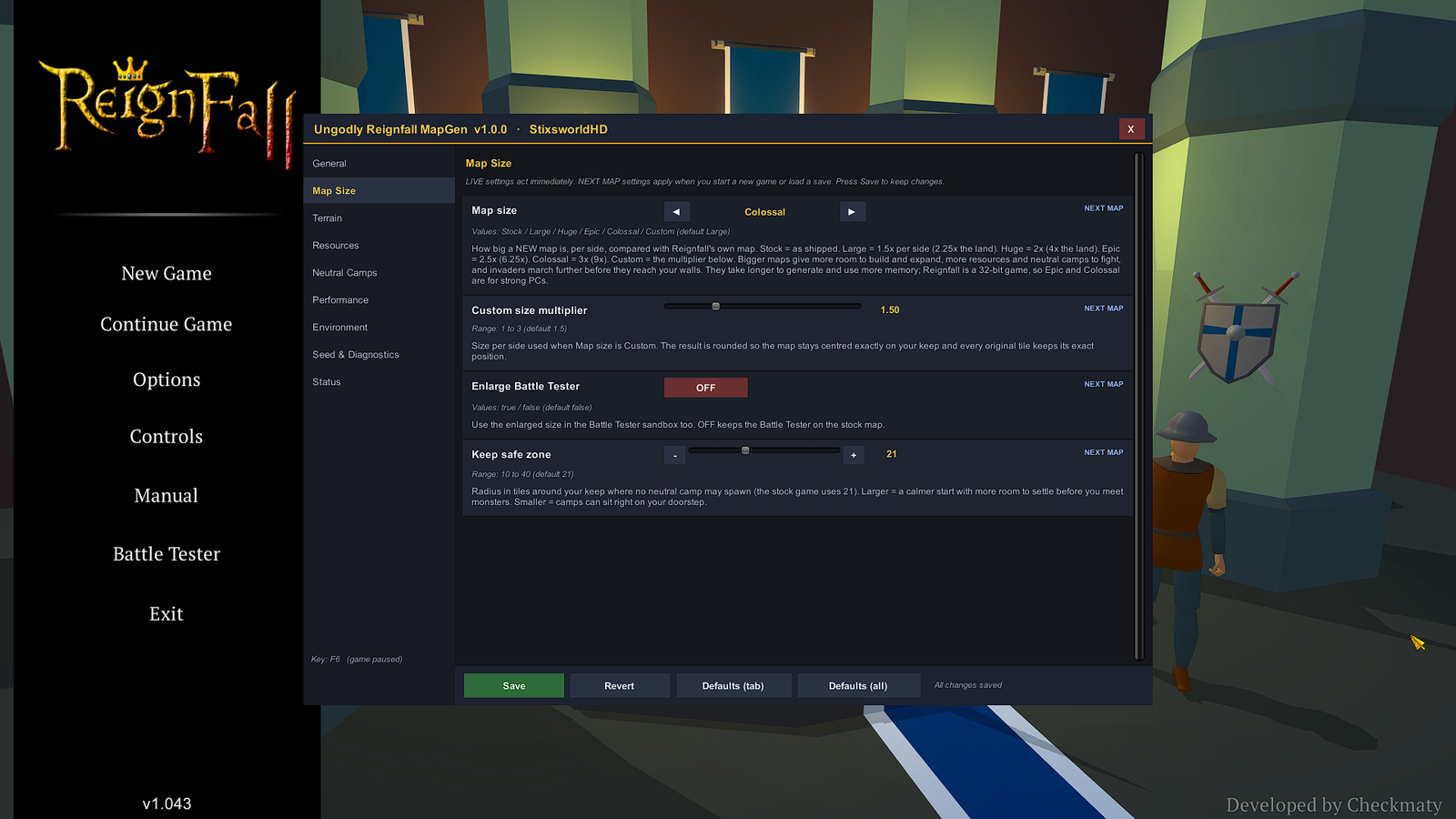
The window has nine tabs: General, Map Size, Terrain, Resources, Neutral Camps, Performance, Environment, Seed & Diagnostics and Status. Settings tagged LIVE apply at once; NEXT MAP settings apply to your next new game or load.
| Map size | Per side | Land area |
|---|---|---|
| Stock | 1× | 1× |
| Large (default) | 1.5× | 2.25× |
| Huge | 2× | 4× |
| Epic | 2.5× | 6.25× |
| Colossal | 3× | 9× |
| Custom | 1× to 3× | up to 9× |
- Terrain styles: Classic, Ridgelands, Lakelands and Wildlands (the default).
- Seeds: the same seed with the same settings rebuilds the identical map.
- Status tab: the measured stock map size and the current size, the seed and timings, every environment adjustment, memory use, which Ungodly mods are running, and the self-test results.
- Buttons: Save keeps your changes. Revert, Defaults (tab) and Defaults (all) undo them; resetting everything asks first.
Before you remove MapGen or load a big save without it, read enlarged saves.
Smart Wave Spawner (F7)
 (opens the original 1920 × 1080 screenshot)
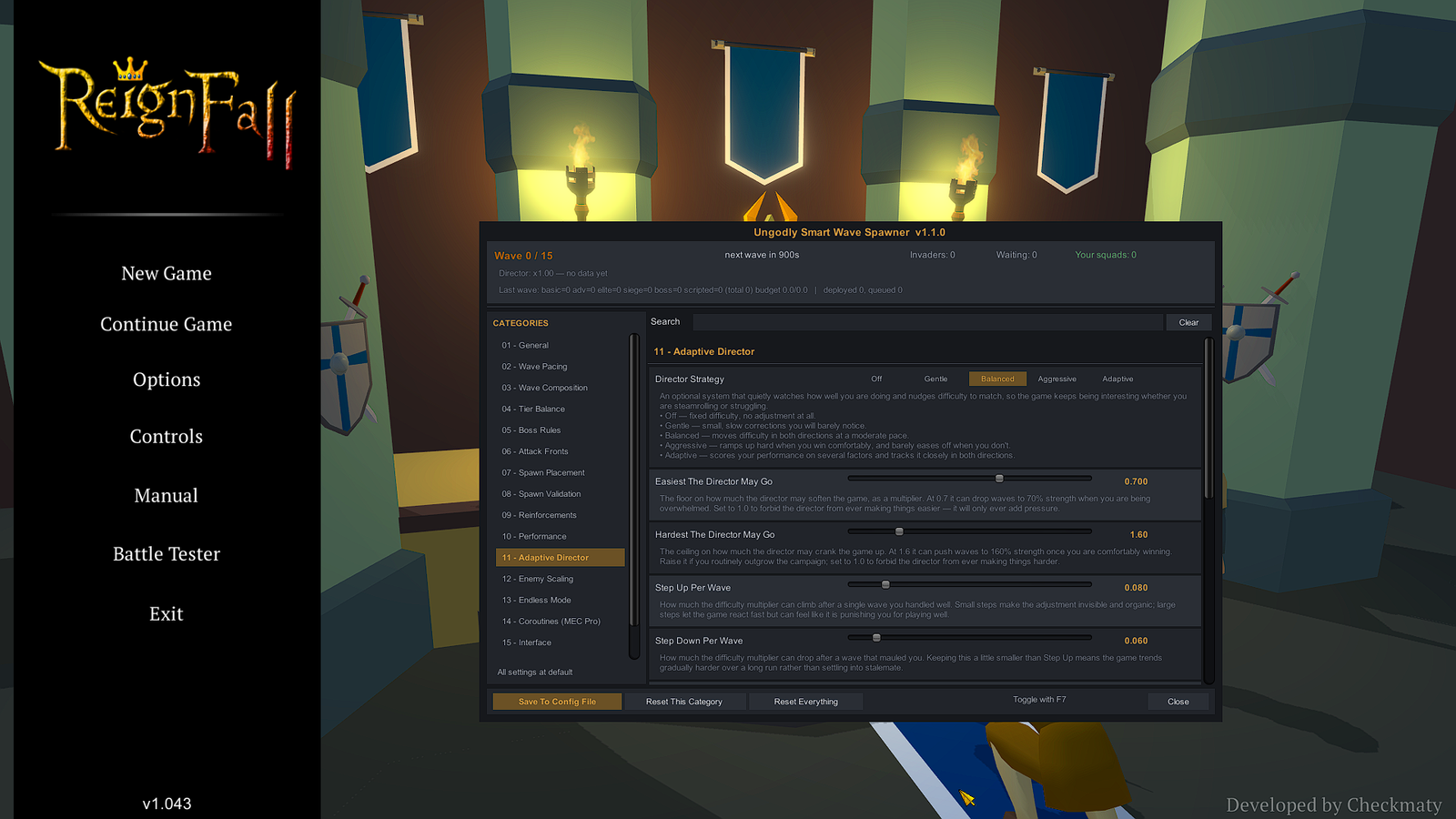
The strip across the top shows the current wave, the time to the next one, invaders on the field and waiting, your squads, and the director’s current multiplier. Below it, 153 settings sit in numbered categories with a search box: 01 General, Wave Pacing, Wave Composition, Tier Balance, Boss Rules, Attack Fronts, Spawn Placement, Spawn Validation, Reinforcements, Performance, 11 Adaptive Director and more.
- Waves: built from a threat budget, with composition modes Vanilla, BudgetCurve and Hybrid.
- Adaptive Director: Off, Gentle, Balanced, Aggressive or Adaptive. It nudges wave strength between two limits, 0.70 and 1.60 by default, according to how you are doing.
- Back to vanilla: switch off
MasterEnablein 01 General and waves spawn exactly as the game ships them. - Saves: the save format is untouched, so saves stay compatible.
Living Economy (F8)
 (opens the original 1920 × 1080 screenshot)
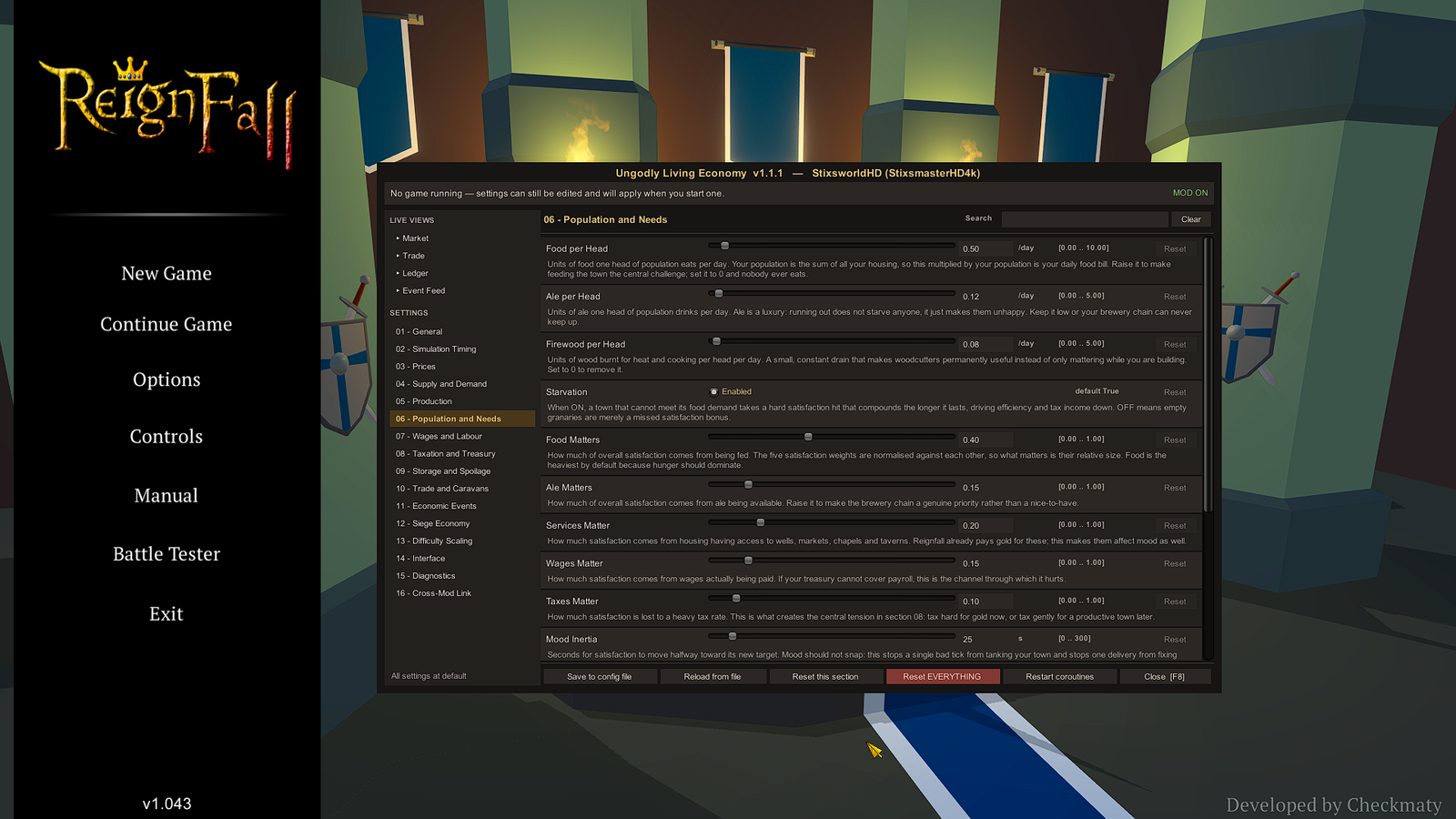
Four live views sit above sixteen settings sections, 195 settings in all. The views are Market, Trade, Ledger and Event Feed; the feed lists every economic event this run and has a button to fire each of the nine on demand. The window works at the main menu too, and settings changed there apply when you start a game.
- Footer: Save to config file, Reload from file, Reset this section, Reset EVERYTHING, Restart coroutines and Close.
- Back to stock: switch off
MasterEnableand the economy behaves exactly as the stock game. - Its own save data: with
PersistEconomyStateon, it keeps the economy’s state beside your saves in%USERPROFILE%\AppData\LocalLow\Checkmaty\Reignfall\Saves\UngodlyLivingEconomy.state.
Reignfall AI (F9)
 (opens the original 1920 × 1080 screenshot)
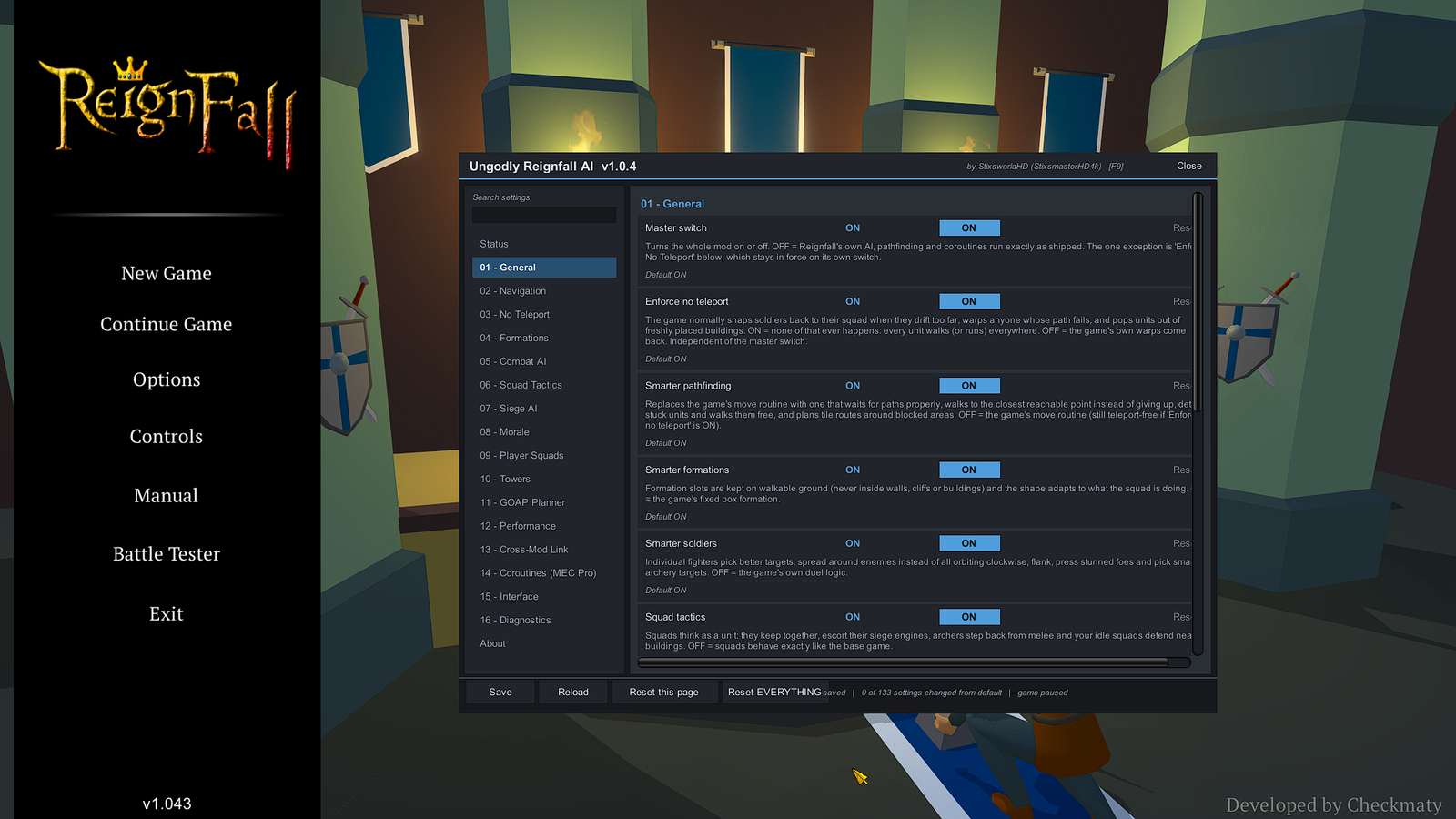
Sections run from 01 General, Navigation and No Teleport through Formations, Combat AI, Squad Tactics, Siege AI, Morale, Player Squads, Towers, the GOAP Planner and Performance to the cross-mod link: 133 settings, with a search box, a reset on every setting and a live Status page.
- Master switch: OFF means Reignfall’s own AI, pathfinding and coroutines run exactly as shipped.
- Enforce no teleport: the stock game snaps soldiers back to their squad, warps units whose path fails and pops units out of freshly placed buildings. With this ON, every unit walks instead. It has its own switch, independent of the master switch.
- Status page: shows whether the AI is ACTIVE, PAUSED, OFF (master switch), NO BATTLE or NOT RUNNING.
- Buttons: Save, Reload, Reset this page and Reset EVERYTHING.
How the mods work together
The three suite mods share a cross-mod link: the AI’s battle pressure, the Wave Spawner’s wave and boss state, and the town’s mood from Living Economy feed into each other. Each mod limits how far the others can push it with its own Link Max Effect setting, and a partner that is not installed reads as neutral, so every mod also works alone.
MapGen joins the same shared pause, and its larger maps are what the other three play on: invaders arrive from the new map edge and units walk the new land.
Their keys do not clash out of the box. MapGen also checks the other mods’ settings and Reignfall’s own key bindings when it starts, and moves to a free key if F6 is taken.
Settings files
Every setting lives in a plain text file in the config folder, one per mod, named after the mod’s ID:
C:\Program Files (x86)\Steam\steamapps\common\Reignfall\BepInEx\config| File | Mod |
|---|---|
com.stixsworldhd.ungodlyreignfallmapgen.cfg | Ungodly Reignfall MapGen |
com.stixsworldhd.ungodlysmartwavespawner.cfg | Ungodly Smart Wave Spawner |
com.stixsworldhd.ungodlylivingeconomy.cfg | Ungodly Living Economy |
com.stixsworldhd.ungodlyreignfallai.cfg | Ungodly Reignfall AI |
- The windows save to these files, so you rarely need to open them. If you do, close Reignfall first and edit them in Notepad.
- Each file has a
ToggleKeysetting: the key that opens that mod’s window. - To reset one mod to its defaults, close the game and delete its
.cfg. It is rebuilt with defaults on the next launch.