Install the mods
With BepInEx working, installing the mods is a copy job: four folders go into BepInEx\plugins. The archives hold the plugin folders and their READMEs; each mod creates its own settings file the first time it runs.
Step 1: Download both archives
Sizes, hashes and the mirror links are on the Downloads page.
Step 2: Extract both archives outside the game
Extract them somewhere outside the game, such as your Downloads folder, so you can see exactly what you are about to copy.
- 7-Zip or WinRAR: right-click the .rar and choose Extract to "Ungodly_Reignfall_Suite_v1_5\". On Windows 11 you may need Show more options first.
- Windows 11 22H2 or later, with neither installed: double-click the .rar to open it like a folder, then drag its contents out.
Do the same with the MapGen archive. You end up with:
- Ungodly_Reignfall_Suite_v1_5
- UngodlyLivingEconomy
- UngodlyLivingEconomy.dll295,424 bytes
- UngodlyReignfallAI
- UngodlyReignfallAI.dll289,280 bytes
- UngodlySmartWaveSpawner
- UngodlySmartWaveSpawner.dll282,112 bytes
- UngodlyLivingEconomy_README.md22,929 bytes
- UngodlyReignfallAI_README.md29,934 bytes
- UngodlySmartWaveSpawner_README.md16,408 bytes
- UngodlyLivingEconomy
- Ungodly_Reignfall_MapGen_v1_0_0
- UngodlyReignfallMapGen
- UngodlyReignfallMapGen.dll261,632 bytes
- README.md11,124 bytes
- UngodlyReignfallMapGen
Step 3: Copy the four folders into BepInEx\plugins
Open the plugins folder:
C:\Program Files (x86)\Steam\steamapps\common\Reignfall\BepInEx\pluginsCopy these four folders into it, whole:
| Folder | From | Contains |
|---|---|---|
UngodlyLivingEconomy | Ungodly Reignfall Suite v1.5 | UngodlyLivingEconomy.dll |
UngodlyReignfallAI | Ungodly Reignfall Suite v1.5 | UngodlyReignfallAI.dll |
UngodlySmartWaveSpawner | Ungodly Reignfall Suite v1.5 | UngodlySmartWaveSpawner.dll |
UngodlyReignfallMapGen | Ungodly Reignfall MapGen v1.0.0 | UngodlyReignfallMapGen.dll |
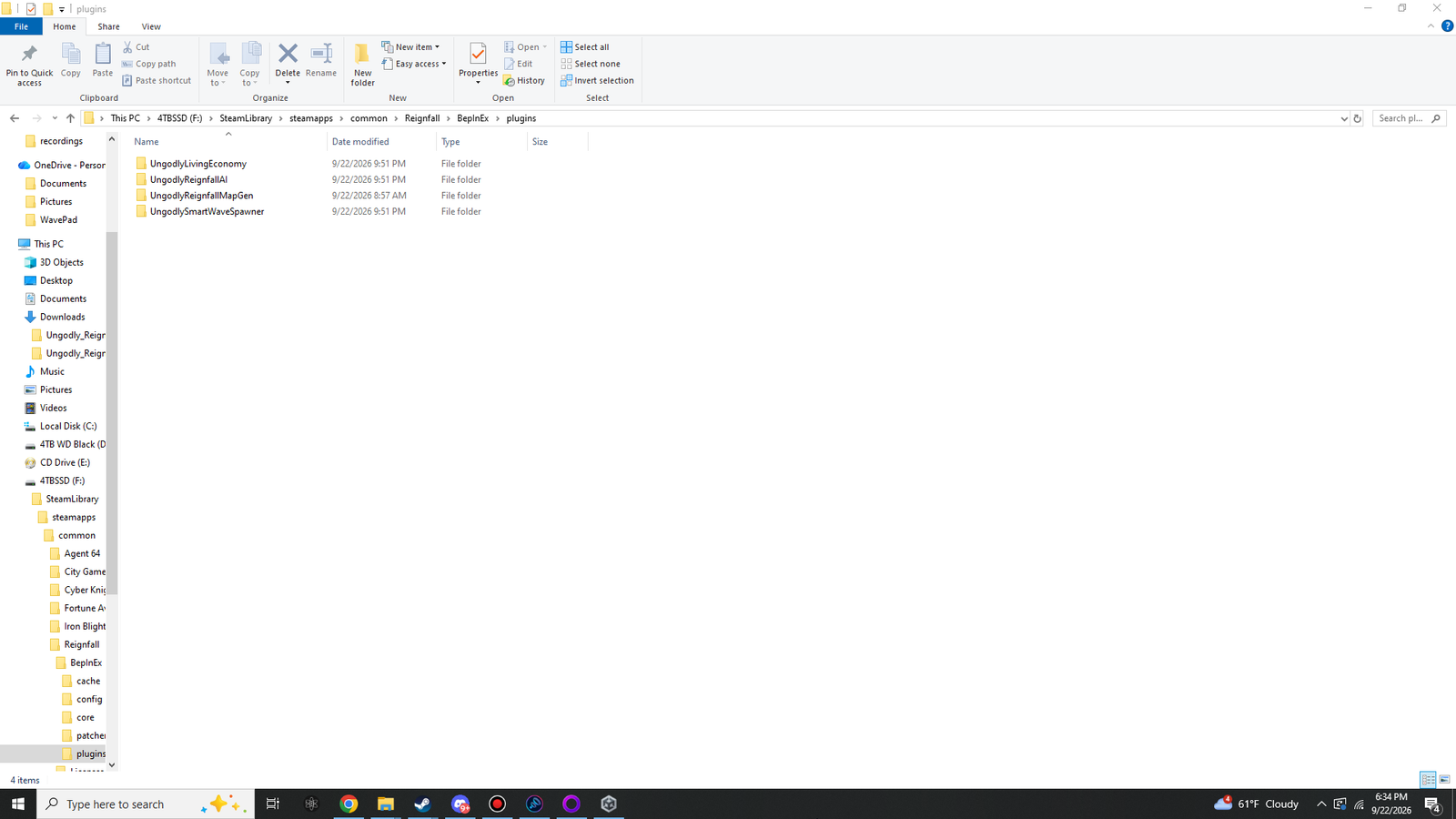 (opens the original 1920 × 1080 screenshot)
BepInEx\plugins with the four mod folders, each holding its own DLL.- BepInEx
- plugins
- UngodlyLivingEconomynew
- UngodlyLivingEconomy.dll
- UngodlyReignfallAInew
- UngodlyReignfallAI.dll
- UngodlyReignfallMapGennew
- UngodlyReignfallMapGen.dll
- UngodlySmartWaveSpawnernew
- UngodlySmartWaveSpawner.dll
- UngodlyLivingEconomynew
- plugins
Step 4: Launch Reignfall
Start the game from Steam. On this first launch with the mods, each one writes its settings file into the config folder:
C:\Program Files (x86)\Steam\steamapps\common\Reignfall\BepInEx\config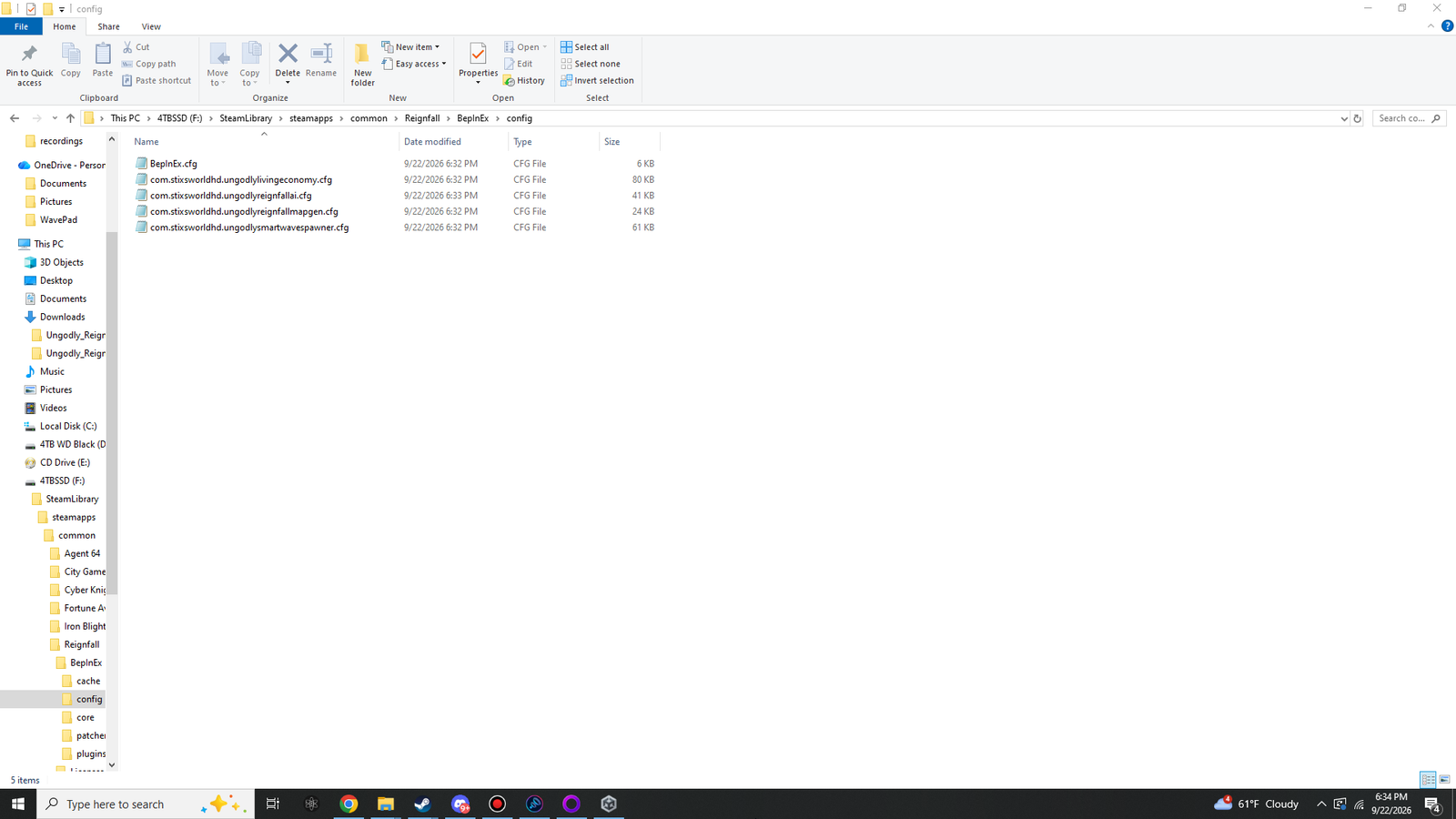 (opens the original 1920 × 1080 screenshot)
BepInEx\config after launching with the mods: BepInEx.cfg plus one settings file per mod, all created automatically.| Settings file | Mod | Size in the screenshot |
|---|---|---|
com.stixsworldhd.ungodlylivingeconomy.cfg | Ungodly Living Economy | 80 KB |
com.stixsworldhd.ungodlyreignfallai.cfg | Ungodly Reignfall AI | 41 KB |
com.stixsworldhd.ungodlyreignfallmapgen.cfg | Ungodly Reignfall MapGen | 24 KB |
com.stixsworldhd.ungodlysmartwavespawner.cfg | Ungodly Smart Wave Spawner | 61 KB |
The sizes shift a little as you change settings. No new files? See The mods do not load.
Step 5: Open each mod’s window
At the main menu, press each key in turn. Every window names its mod and version at the top:
- F6Ungodly Reignfall MapGenv1.0.0
- F7Ungodly Smart Wave Spawnerv1.1.0
- F8Ungodly Living Economyv1.1.1
- F9Ungodly Reignfall AIv1.0.4
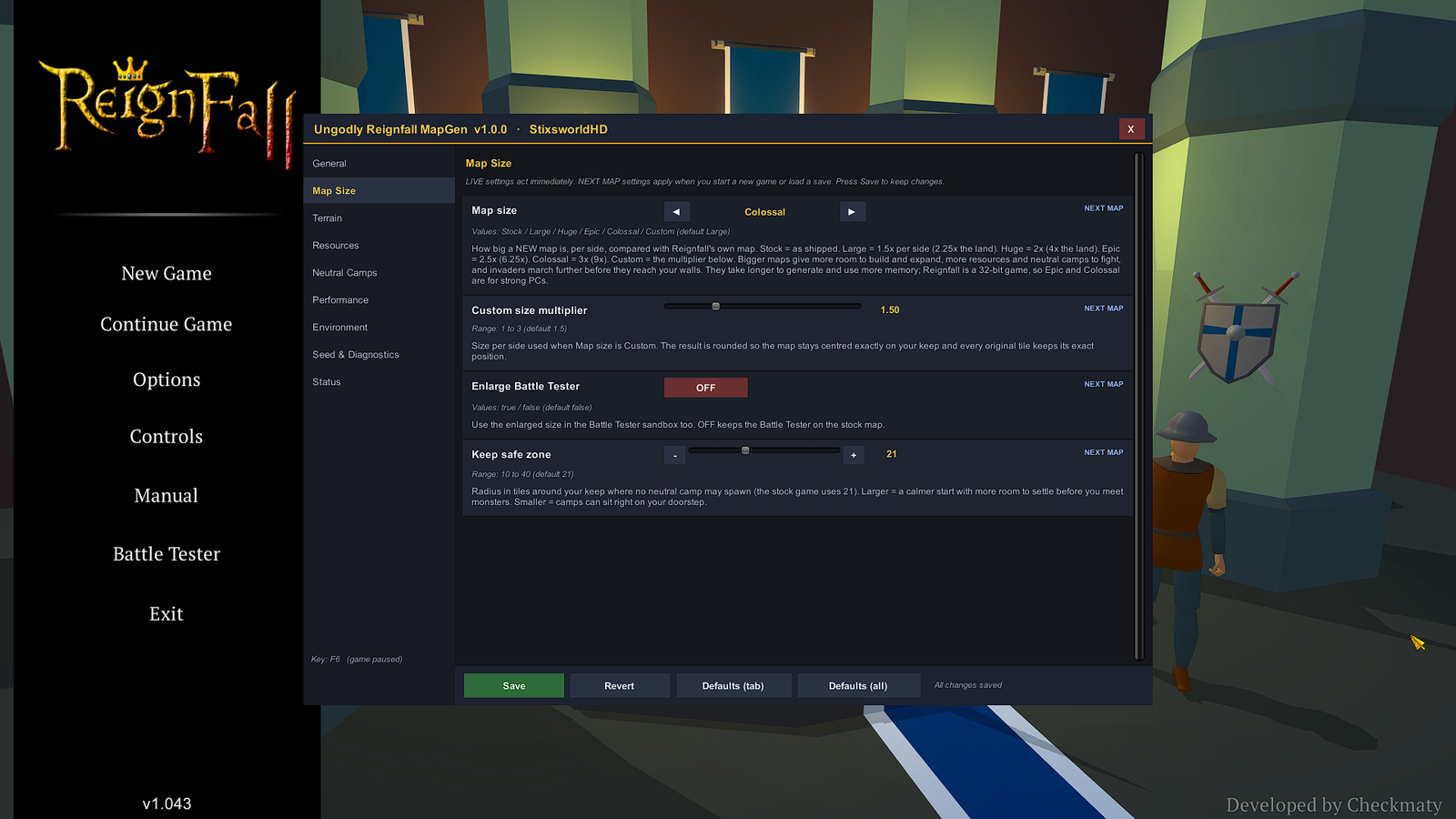 (opens the original 1920 × 1080 screenshot)
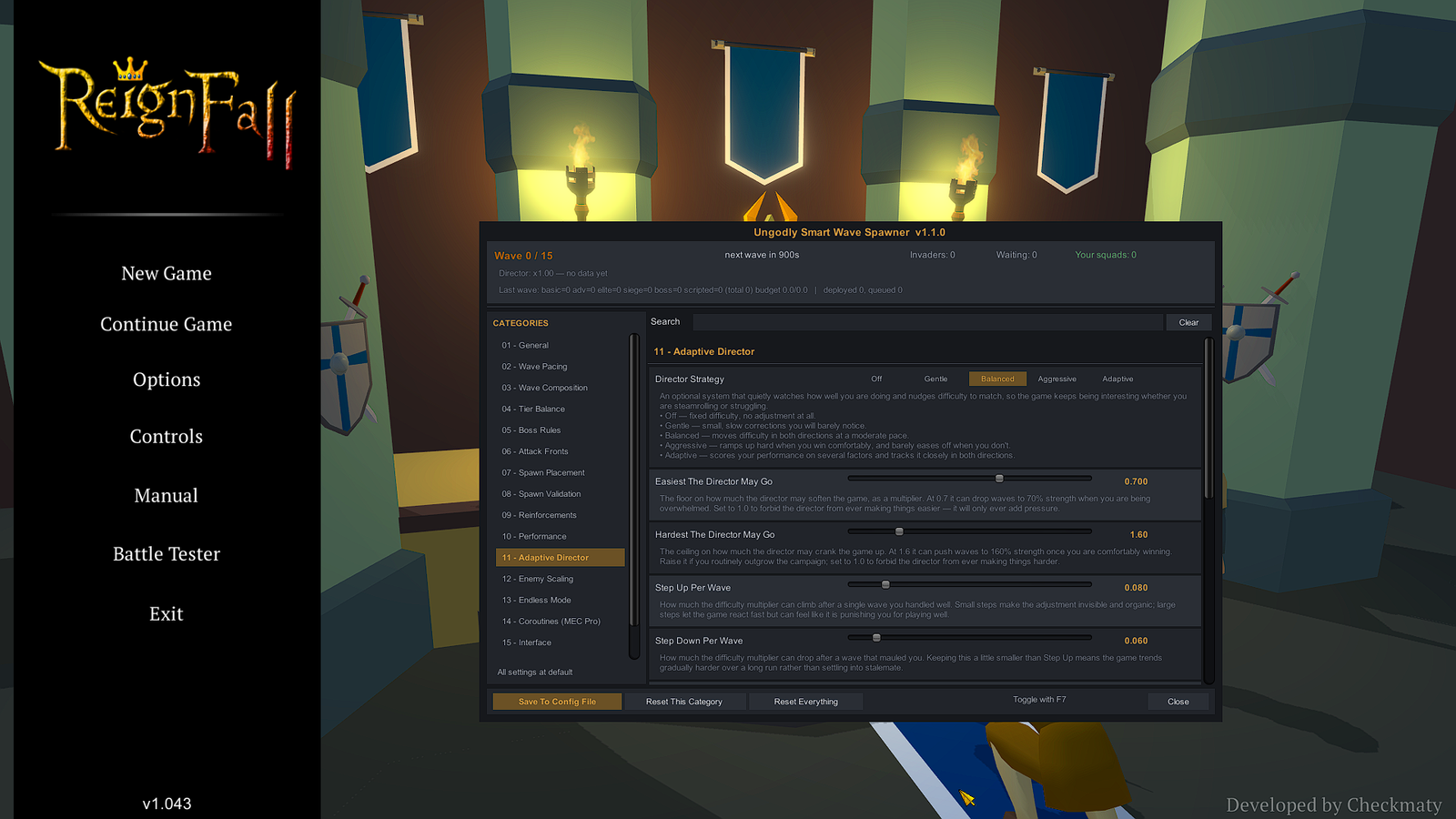 (opens the original 1920 × 1080 screenshot)
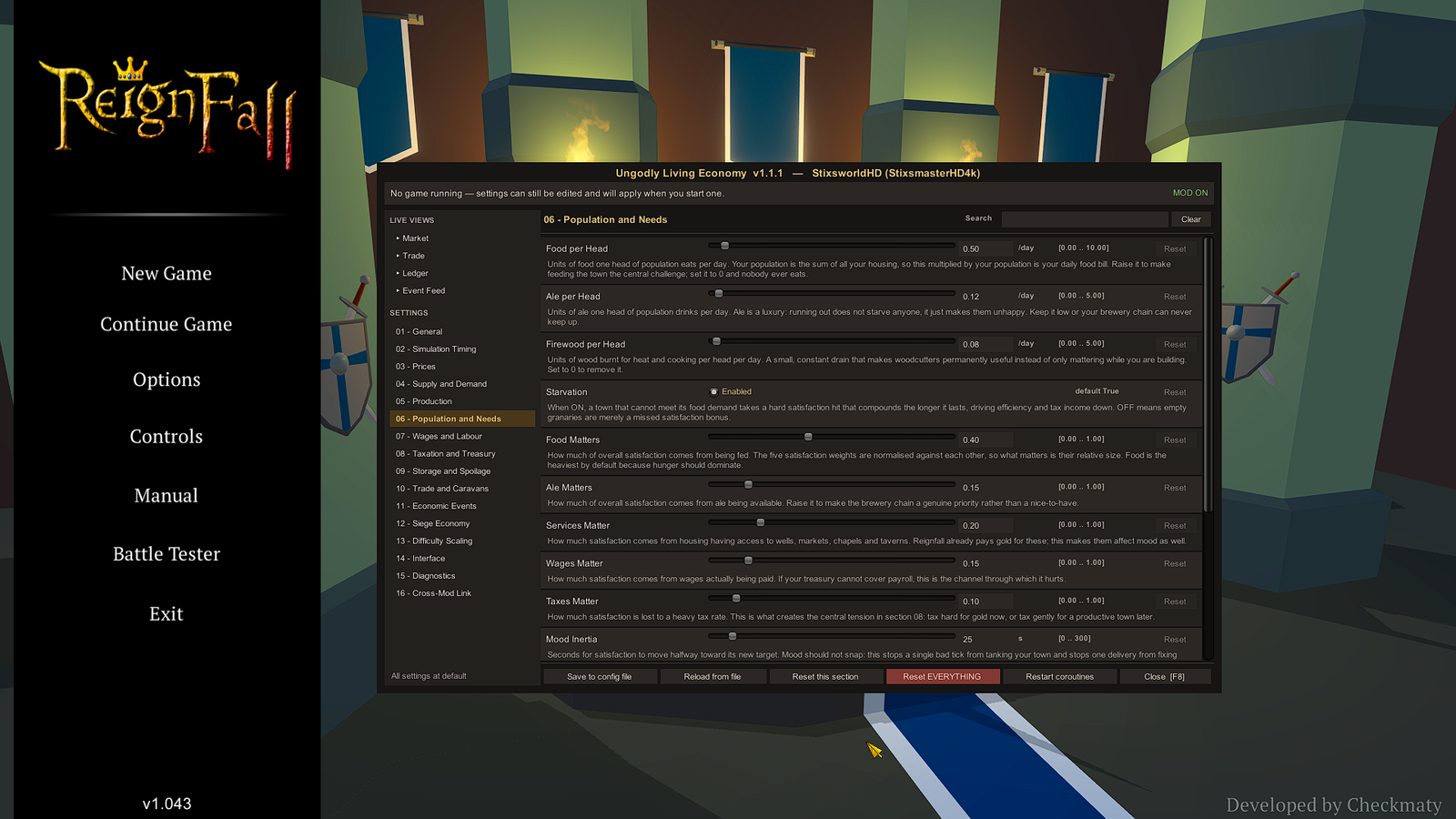 (opens the original 1920 × 1080 screenshot)
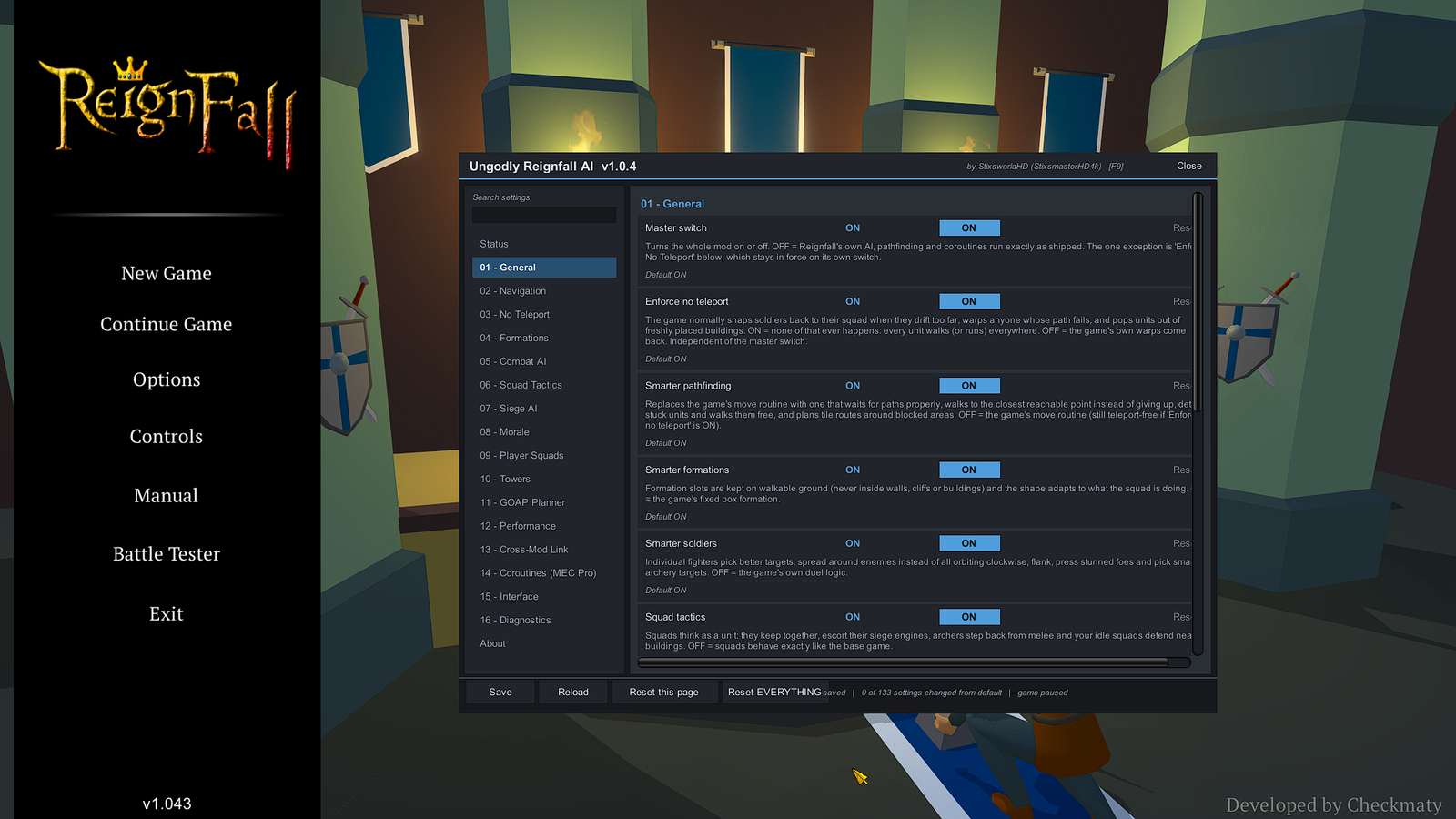 (opens the original 1920 × 1080 screenshot)
The game pauses while any of these windows is open and carries on when you close the last one. Close a window with its close button or by pressing its key again.
Step 6: Start a new game
MapGen’s map settings are tagged NEXT MAP: they take effect when you start a new game or load a save, not on a map that is already open. Its default map size is Large, 1.5× the stock size per side. To play bigger, press F6, pick a size on the Map Size tab, click Save so it is kept, then start a new game.